HLS / DASH Converter
Convert your videos to HLS and DASH with the real FFmpeg installed on your own machine — everything stays on localhost, nothing gets uploaded anywhere.
Free. After downloading: npm install && npm start
What are HLS and DASH?
HLS (HTTP Live Streaming) and DASH (Dynamic Adaptive Streaming over HTTP) are two standards for adaptive-quality video. Instead of one big file, the video is cut into a few-seconds-long segments at several quality levels, and a manifest file (.m3u8 for HLS, .mpd for DASH) tells the player where each segment is. The player picks — and switches — quality based on the viewer's connection speed, mid-playback.
HLS is Apple's format and plays natively in Safari/iOS (elsewhere via a library like hls.js); DASH is an open ISO/IEC standard, codec-agnostic, and powers players like YouTube's. This tool builds both from the same input video so you can compare them side by side.
What the tool does
The interface
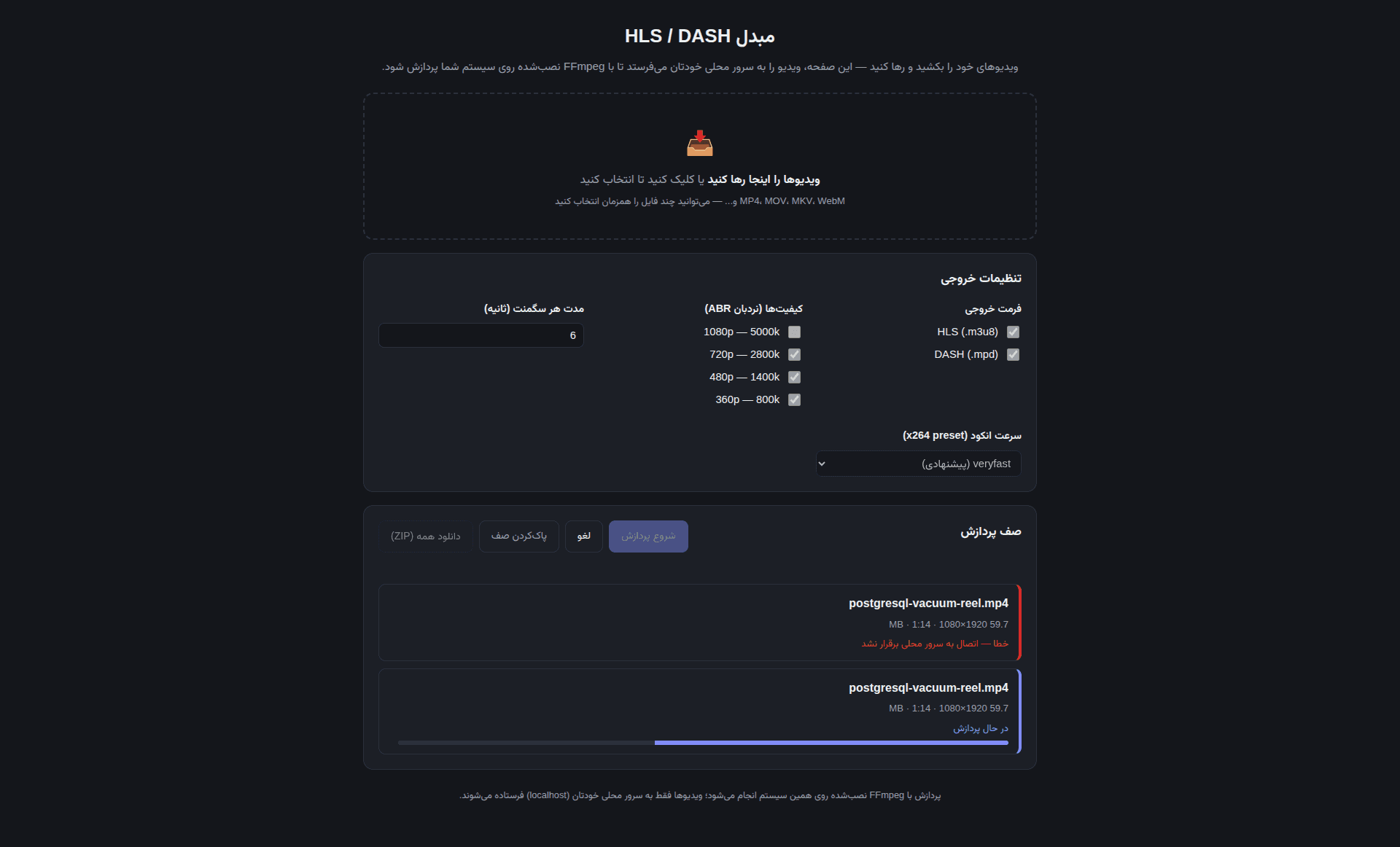
The processing queue and output settings — what you'll see in the browser right after npm start.
What you need before running it
Node.js 18 or newer
Install it from nodejs.org. Without it, even npm install won't run.
FFmpeg
The actual encoder. The app looks on your system PATH first, then in a bundled ffmpeg-bin/ folder next to the project; if neither exists, the page shows a setup hint at the top.
Windows
# Option 1 (easiest): run from the project folder
npm run setup-ffmpeg

# Option 2: winget
winget install Gyan.FFmpeg

# Option 3: Chocolatey
choco install ffmpeg
macOS
# System install via Homebrew (recommended)
brew install ffmpeg
Auto-download is intentionally disabled on macOS: the official evermeet.cx URL currently redirects to a different domain that this script couldn't verify. Homebrew is the safe, standard path.
Linux
# Option 1: run from the project folder
npm run setup-ffmpeg

# Option 2: your distro's package manager
sudo apt install ffmpeg        # Debian/Ubuntu
sudo dnf install ffmpeg        # Fedora
sudo pacman -S ffmpeg          # Arch
The Windows/Linux auto-download pulls a GPL build from the BtbN/FFmpeg-Builds project on GitHub — the same source ffmpeg.org's own download page points to for those platforms.
Three steps to get started
Install dependencies
Run npm install inside the project folder.
Start the server
npm start boots it up; the port is configurable via the PORT environment variable.
Open the browser
Go to http://localhost:3000 and drop a video onto the page.
What's inside the source
This is the layout after you unzip it — exactly what npm install and npm start run against.
Output folder layout
For each video, this is what gets built under output/<video-name>/:
hls/
  master.m3u8          (multi-quality mode only)
  v0.m3u8, v1.m3u8, ...  or  index.m3u8
  v0_000.ts, ...         or  seg_000.ts, ...
dash/
  manifest.mpd
init-stream0.m4s, chunk-stream0-00001.m4s, ...Under the hood
Limitations
- The server is built for personal/local use only — no auth, no rate limiting. Don't expose it to the public internet.
- This is an educational/demo tool, not a production-scale transcoding pipeline.
Ready to try it?
Download the source, install FFmpeg, and you're running in under a minute with npm install && npm start.
Download source .zip